Sightlineby CineSmith
Shot planning · for the camera department

Where the camera goes, and what it sees from there.

The set to scale, the cast on their marks, the dolly on its track — and a viewfinder that answers the question that matters on the floor: does it fit on the 50? Written on the job by a working DP. Reads and writes the Shot Designer files you already have.

Directors of photographyDirectors Assistant directorsGaffers
An overhead drawn in Sightline: a living room with a sofa, two chairs, a round table with a lamp, and a floor lamp; Elena sitting on the sofa, Marcus at the window with a three-beat walk to the sofa; cameras A, B and C, C on a dolly track, each with its lettered shot label.
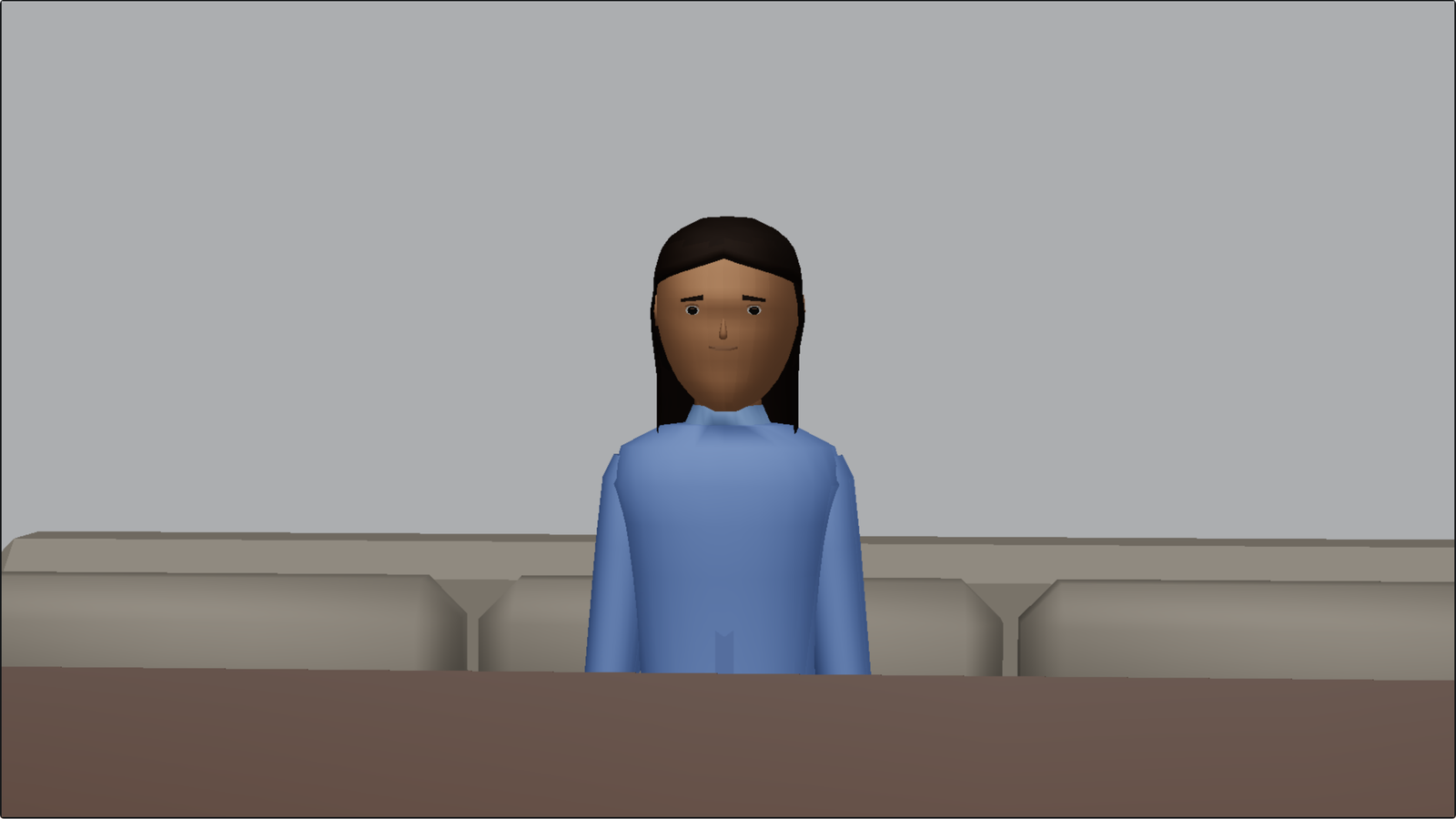
The same room through camera A on a 25mm, lit: across the table to Elena on the sofa, the floor lamp behind her.
Cam A · 25mm · ALEXA Mini 2.8K 16:9 · beat 1
What it does, as positions on the plan
Cam A

Plan

Draw the set once, or bring the location in from scout stills. Every piece of kit at its real size, and every lamp with the pool it throws.

Cam B

Blocking

Positions and beats. A walk is a click per stop; a change of pose is a beat that goes nowhere. Play it from any beat, or drag the playhead and take a board anywhere between two.

Cam C

The frame

Super 35, large format or anamorphic, the lens set you actually carry, your camera height. Day or night. Take hold of the picture and the camera pans and tilts under your hand.

Cam D

Paper

Shot lists, storyboards tied to the shot they belong to, one PDF for the episode — and the whole scene out to Blender or Unreal at true scale.

Cam E

Files

Switch from Shot Designer in one go — walls, props, cast and all. Scenes in folders on your own drive. Works with no signal. A second screen on the cart.

Cam A

The set, to scale.

Draw the room or trace it off a floorplan picture; walls carry their doors and windows, and a door lands three feet wide because a door is. The kit is drawn from scratch at twenty units to the foot, so a fifteen-foot car really is fifteen feet against the grid. Click anything and its size, height and lift are sliders at your left hand.


Cam B

Positions and beats, the way a floor is run.

Walk To… drops a position per click. A change of pose — sitting up in bed, a camera tilting from her feet to her face — is Beat 2 from here, a beat that goes nowhere: beat 1 is kept exactly as it was, height, tilt, pan and lens, and beat 2 starts the same. Parked on a beat, only that beat’s things take the hand, so a walk of five positions is never five things to grab by mistake.

Open Sightline

Cam C

A viewfinder that shows the lens you actually have.

Your camera package — the body by its recording mode, the gate, the squeeze — and the real field of view of each lens on it. Solid figures at their real stature, walls with their openings cut, lamps where they hang and the light they throw. Move the camera and the frame moves with it, beat by beat. Open it wider to see what is about to come into shot.

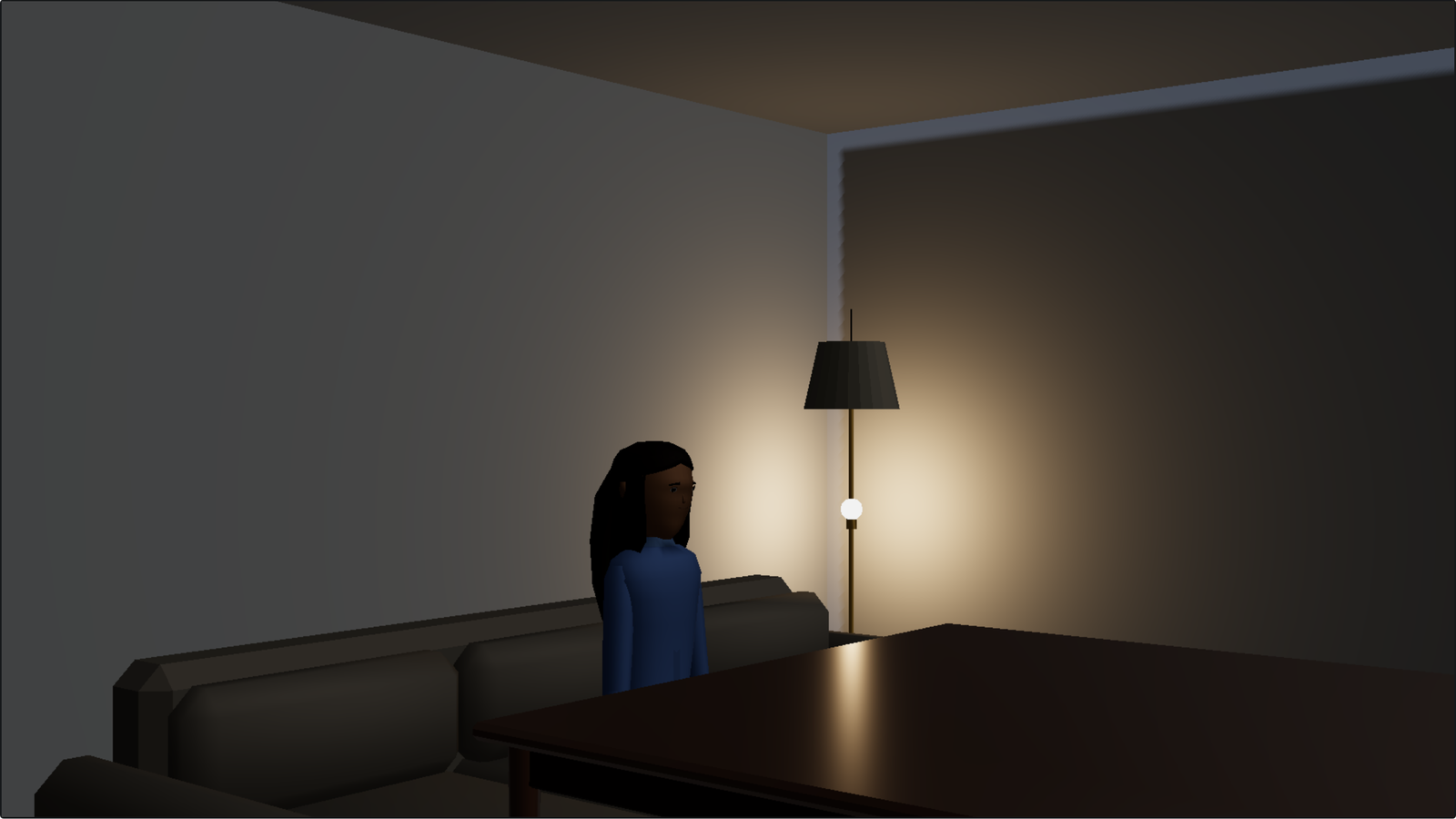
Camera A at night: the room dark, Elena lit by the floor lamp’s practical beside her, a cool moon through the window.
Cam A · 25mm — the same room, switched to Night, lit by the practical on the plan
Camera B on a 50mm: a medium on Elena on the sofa, lit.
Cam B · 50mm · ALEXA Mini 2.8K 16:9 — a medium on Elena, from the plan above
  • Take hold of itDrag the picture and the camera pans and tilts to keep the room under your hand. Roll the wheel to go through the package.
  • It follows the workClick a light to move it into the shot and the finder stays on the shot. Hold it only when you want it to stop following cameras too.
  • The packageSuper 35 or large format, spherical or anamorphic, and forty lens sets with the focals each one actually contains — Cooke S4/i to Panavision C-series — from the same table as Frameline, the viewfinder app. It tells you when the glass will not cover the sensor.
  • Day and nightOne switch on the sun strip. Night is a deep sky and a moon where the sun was, dialled up or down, and your lamps are what light the frame.
  • Solid or flatA lit, shaded room on the machine’s graphics, or the measured line drawing — same numbers either way.
  • StillsPhotoreal frames from your own blocking, at your location, with your cast — and a brief the AI can read.

Cam D

The paper a camera department hands in.

One camera per shot however many positions it has, lettered A B C D E F G H J K — no I and no O, as a slate counts. Storyboards tied to the shot they belong to. A whole episode as one PDF, a CSV for the AD, and a formatted sheet into Drive.


Cam E

Your files, your folders, no signal required.

Switch from Shot Designer on the first screen: point it at your Scenes folder and every scene comes across — walls, props, cast, cameras and beats — and it tells you exactly what did. The files stay Shot Designer files, byte for byte. Scenes are files in folders on your own drive, with a dated second copy anywhere you name. Install it and the whole thing works on a location with no bars.

Open Sightline Install it — Menu, then Install Sightline

Price

Buy it once. Own it.

No subscription, no seat you lose when the show wraps, no renewal in the middle of a shoot. Updates are included, and there are a lot of them.

Web
Free

Sightline, in the browser.

  • Plans, blocking, both viewfinders, mirrors
  • Shot list, storyboard panels, the board
  • Shot Designer files in and out; PNG and SVG
  • Unlimited scenes, kept on your machine. No account.
  • Mac, PC and iPad — sign in and your scenes follow you; the iPad is the laptop’s viewfinder
Start free
Pro
$99 once

Free until December 12, 2026 for everyone who signs up during the beta. After that, $99 once — $69 founding price if you were here first.

  • Everything in Web
  • Board, shot cards and coverage PDFs; the Google Sheet
  • Project folders, locations and scouts
  • Blender and Unreal out; the second screen on the cart
  • Updates for two years, then a paid upgrade if you want it
  • Photoreal stills from any frame: five to try, then $12 for 25 or $39 for 100 — the one thing that is metered, because each one costs to make
Sign up — Pro is free in the beta Buy Pro now

How this is made. Sightline is written by a working director of photography with an AI pair-programmer — Claude, by Anthropic. Features are decided on set and built the same week; the code is what one DP and a model made of them, and it is fixed by the same two hands the day it breaks. That is what you are paying for: software shaped by the job rather than by a company. If that is not the kind of software you want, the Web version is free to try first, and every file stays a Shot Designer file you can open anywhere else.

Also on the bench
Built · not yet run on a show

Scheduling, budgeting and call sheets

A stripboard, a breakdown, a budget with real payroll fringes, and call sheets that fill themselves from the board. It works; it has not been through a production yet. Try it and tell me what breaks.

Open the scheduler
Next

Lighting

The plot on the same set Sightline already drew, the gear list built from it, and the power per circuit.